Artificial intelligence can reduce repetitive work in legal settings, but it cannot take responsibility for legal judgment. A thoughtfully used legal AI copilot may help a team organize information, prepare a first draft, or identify questions worth investigating. The final work requires a qualified person knowledgeable about the facts, the law, the goals, and the risks. It’s best to treat AI as a supervised assistant, not an independent decision-maker. Teams should start with narrow tasks, safeguard sensitive info, and review regularly to gain efficiencies while maintaining accuracy, confidentiality, and trust.
Why AI Still Needs Human Review
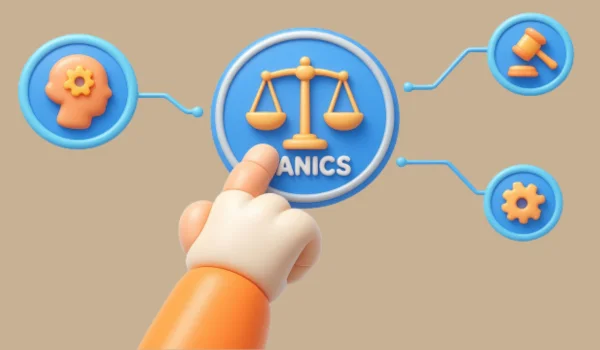
AI systems can produce clear, confident prose even when a detail is incomplete, outdated, or wrong. In legal work, that creates a serious problem because a polished answer is not the same as a reliable one. A generated case citation may be inaccurate, a rule may have changed, or a summary may leave out a fact that changes the analysis. Human review means more than checking grammar. The reviewer must confirm the authority, identify the applicable jurisdiction, compare the cited law with the actual issue, and decide whether the conclusion follows. Legal professionals remain accountable for the work they provide. Guidance on using AI to strengthen critical thinking makes the same essential point: technology should support, not replace, professional judgment.
Where AI Can Help With Legal Work
AI is often most useful for first-pass, administrative, and organizational tasks that remain easy for a person to inspect. Appropriate uses may include:
- Document summaries: Producing a preliminary overview of a long agreement, policy, transcript, or file.
- Issue spotting: Flagging undefined terms, inconsistent dates, missing sections, or provisions that deserve closer attention.
- Research planning: Suggesting search terms, questions, and possible areas for direct legal research.
- Draft preparation: Creating a starting outline for an internal memo, letter, checklist, or policy.
- Plain-language notes: Translating dense provisions into internal explanations that a reviewer can refine.
- Workflow support: Organizing intake information, version histories, deadlines, and follow-up tasks.
Safe Starting Points for Legal Teams
Start with one repeatable workflow rather than attempting to automate every task at once. Choose work that has a clear purpose, a known review method, and limited consequences if the first output needs substantial correction.
- Select one narrow task, such as summarizing nonconfidential sample documents.
- Remove unnecessary names, account numbers, medical details, and other identifying information.
- Define the desired output, including the format, audience, and required information.
- Require human approval before any output is sent to a client, counterparty, court, or regulator.
- Track useful results, corrections, missed details, and time spent reviewing.
- Expand only after the process performs consistently.
A Simple Verification Workflow
A reminder to “check the answer” is not enough. A defined workflow makes review more consistent and easier to supervise.
- Review the request: Confirm the facts, dates, jurisdiction, documents, and assignment are correct.
- Check every authority: Locate cases, statutes, regulations, rules, and quotations in authoritative sources.
- Compare the facts: Determine whether the authority actually addresses the situation presented.
- Check currency: Confirm that later law has not changed, limited, or displaced the authority.
- Test the reasoning: Decide whether the conclusion is supported by the verified materials.
- Record the review: Keep a short internal note identifying what was checked and who approved it.
Confidentiality, Privacy, and Data Handling
Client names, case numbers, privileged communications, financial information, health records, and internal strategy require heightened care. Before entering information into any tool, a team should understand its data retention, access controls, training practices, encryption, deletion options, and contract terms. A public consumer chatbot and an organization-approved business system may handle submitted information in very different ways.
Questions to Ask Before Adoption
- Who can access submitted information?
- Is the submitted content used to train or improve the system?
- Can the organization delete stored content?
- Are activity logs available for review?
- Does the tool support role-based access?
Professional Responsibility
Familiar duties still apply to workflows with AI. Competence means knowing a tool’s capabilities and limits. Confidentiality involves protecting sensitive information. Diligence requires careful review; candor means accurate, supportable submissions; supervision entails clear rules for staff, contractors, and providers. Teams using advanced workflows should focus on verification, confidentiality, and human oversight, as software can assist but can’t replace professional responsibilities.
Common Mistakes to Avoid
- Copying generated text into a client communication without review.
- Assuming a confident tone proves that an answer is correct.
- Providing confidential case details to an unapproved tool.
- Failing to specify the relevant jurisdiction or date.
- Relying on a summary instead of reading the original authority.
- Using old templates without confirming the current law.
- Allowing untrained personnel to use unapproved systems.
- Measuring success only by speed rather than accuracy, quality, and risk control.
A 30-Day Implementation Plan
Week 1: Set Boundaries
List approved and restricted uses, identify information that cannot enter public tools, and assign one person to oversee the test.
Week 2: Choose One Workflow
Select a repetitive task, prepare a standard prompt and review checklist, and define acceptable quality and time expectations.
Week 3: Test and Review
Use sample materials, compare outputs with a qualified reviewer’s work, and record errors alongside useful results.
Week 4: Refine the Process
Update prompts and controls, train users on the approved process, and decide whether to continue, revise, or stop the pilot.
Common Questions About AI in Legal Work
Can AI provide legal advice?
AI can assist with general information and preparation, but legal advice requires qualified professional judgment based on the relevant facts and jurisdiction.
Can AI conduct legal research?
It can help generate research ideas and organize verified information. It should not replace direct review of the current primary authority.
Should every result be checked?
Any material used for advice, client communication, negotiation, or court work should receive careful human verification.
Is AI useful for small legal teams?
Yes. Small teams can begin with simple, reviewable tasks that reduce repetition without introducing unnecessary complexity.
Final Takeaway
Legal AI works best as a carefully supervised assistant. The strongest results come from narrow workflows, secure data practices, documented review, and professionals who remain responsible for the final work. The goal is not to use AI everywhere. It is to use it where it adds practical value without weakening accuracy, judgment, confidentiality, or trust.