
once watched a paralegal spend forty minutes hunting for a signed engagement letter that was sitting in a folder called “misc 2.” Forty minutes. The client was on hold the whole time.
That story is not unusual, and it is not a people problem. It is a structure problem. Small firms accumulate thousands of files fast, and most of them get named by whoever was in a hurry that afternoon. The result is a shared drive that technically holds every document and practically hides most of them.
The fix is not a bigger server or a stricter memo about folder habits. It is treating your records like a searchable system instead of a pile. That is exactly the shift behind modern law firm document management, and you can borrow the thinking even before you buy anything.
Why does searching beat browsing?
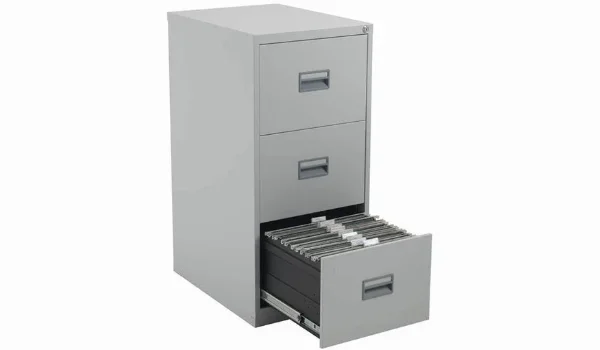
Browsing assumes you remember where you put something. Searching assumes you remember what it was about. In a busy practice, the second memory is far more reliable. You might forget that the medical records went under “Client B / Discovery / Third Party,” but you will never forget that the file involves a rear-end collision on Route 9.
Most offices still build for browsing. They create folders, then subfolders, then sub-subfolders, until a single document lives six clicks deep and only one person knows the path. That works right up until that person takes a vacation.
Search-first thinking flips the priority. The folder becomes a rough neighborhood, not an address. What matters is whether the file carries the right labels. Get the labels right and any decent tool, or even a careful naming convention, will surface the document in seconds.
Here is my honest take: if your shared drive requires a map, it is already broken. You are just paying the cost in small installments every week.
The three-label test
Before any software enters the conversation, run every document your firm touched this month through a simple test. A file should be findable through three things: who it belongs to, what it is, and when it happened. If a colleague can’t pull it up with those three, the labeling is weak.
I call this the three-label test, and I use it as a gut check whenever a new matter opens. It sounds almost too plain. It isn’t. Most misfiled documents fail because one of the three labels is missing or inconsistent. The client name is spelled two ways. The document type is “letter” instead of “engagement letter.” The date is buried in the body text instead of the file name.
You don’t need a framework with a logo to implement it. Grab your ten most recent files and try to find each one using only the client, the document type, and the year. Count how many take more than a minute. That number is your real starting point, and it is a lot more useful than any software demo.
Standards bodies have wrestled with the same problem for decades. The National Institute of Standards and Technology has published guidance on records and information management for years, and the recurring theme is consistency. Names, dates, and categories have to mean the same thing across every person and system. Simple, and easy to ignore.
What a clean file structure looks like in practice
Say your firm handles family law. One matter opens, another closes, and the client emails you a revised parenting plan at 9:40 p.m. on a Friday. Under browsing logic, that email and its attachment land somewhere in an inbox folder, get forwarded twice, and eventually reach the shared drive under a name like “plan_final_use_this_one.”
Under search logic, the attachment gets tagged with the client name, the document type, the matter, and the date. Anyone on the team can pull up the parenting plan for that client in one search, and there is a clear record of which version is current.
That last part matters more than people realize. Version confusion is where small firms get hurt, and it rarely shows up as a dramatic failure. It shows up as a court filing that cites a stale draft, or a client who is told something that was true three revisions ago. Clean naming and tagging cut that risk down without much effort.
The federal government has spent decades formalizing records management through the National Archives, and even public agencies with far more resources than a five-person firm keep their rules deliberately boring. Predictable names. Defined retention periods. One version of record. Boring is the point.
You don’t need to copy a federal schedule. You do need to pick a naming pattern and hold the line, even when a Tuesday feels too busy to care. Especially then.
A practical setup you can finish this week
Here is the sequence I would run, in order. It is not glamorous, but it works, and you can finish most of it before Friday.
- Agree on three labels. Client or matter, document type, and date. Write them down and pin the rule where everyone sees it.
- Pick a naming pattern. Something like client_lastname_doctype_YYYY-MM-DD. Ugly, searchable, unambiguous.
- Clean one folder. Not all of them. Pick your busiest matter and rename everything inside it. This is your proof of concept.
- Add a shared index. A simple sheet listing each matter, its key documents, and their locations. Update it weekly until a tool replaces it.
- Lock down access. Decide who can edit and who can only view. Loose permissions are how versions multiply.
- Schedule a monthly sweep. Fifteen minutes, one folder, no exceptions. Small maintenance beats a giant purge.
If you get through all six steps, you will have done more for your records than most firms manage in a year. If you only get through three, you have still saved yourself a few of those forty-minute hunts.
When the shared drive stops being enough
At some point, the manual approach hits a ceiling. That usually happens around the moment your firm has more than one office, or when you need to prove who viewed a document and when. A shared drive is happy to store files. It is not interested in audit trails.
The honest way to decide is to measure how much time your team loses each week to searching, renaming, and resolving version conflicts. If that number is meaningful, the case for a dedicated system practically writes itself. If it is small, keep going with the manual approach and revisit in six months.
The same advice applies to retention. Courts and regulators expect firms to keep certain records for certain periods and to produce them on request. The U.S. Government Publishing Office keeps public legal materials in the official record, and the underlying principle is the same one your firm should copy: if it matters, it needs a home you can point to.
What to do Monday morning
The interesting thing about messy records is that nobody sets out to build them. They just accumulate, one rushed save at a time, until the folder structure turns into folklore. You can reverse that without a budget approval or a six-month rollout.
Start with the three-label test and the six steps above. Pick your messiest matter and clean it. Then ask yourself one question: if a new hire joined tomorrow, could they find anything on their own? If the answer is no, you know exactly where to spend your next hour.